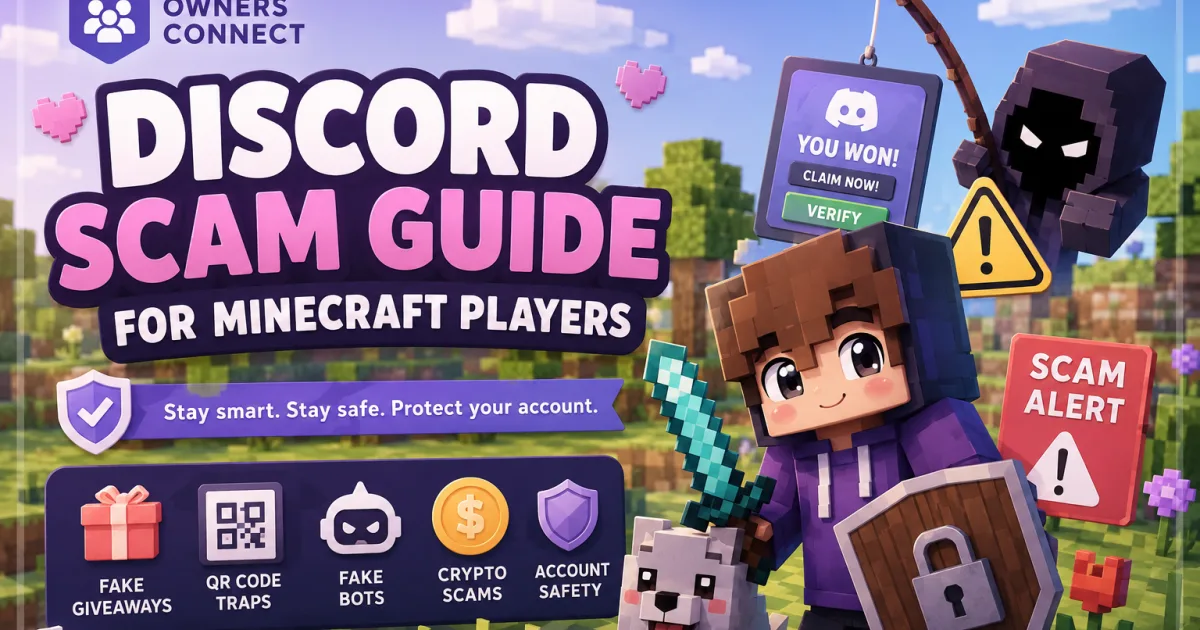
Discord Scam Guide for Minecraft Players
A player safety guide from Owners Connect covering common Discord scams targeting Minecraft communities, including fake giveaways, QR login traps, fake verification bots, crypto withdrawal scams, malware downloads, session hijacking, and what to do after clicking something suspicious. Because apparently “free money from a random Discord DM” is still somehow not setting off enough alarms.
Discord Scam Guide for Minecraft Communities
A practical guide to fake giveaways, QR login traps, fake verification bots, crypto scams, malware downloads, session hijacking, and what to do when something suspicious gets clicked.
How It Starts
Most scams do not begin with some elite hacker smashing through your password. They begin with a message that plays on curiosity, greed, panic, or embarrassment.
You may get a DM about a fake giveaway, a fake Nitro drop, a crypto site showing a fake balance, a server claiming you can chat with live girls, or a verification bot asking you to scan a QR code.
The goal is almost always the same: steal your account, steal your money, or get malware onto your device.
Malware and Stealers
Attackers spread fake mod packs, cracked tools, PvP clients, CPvP cheats, executors, private utilities, and random Minecraft files through DMs, shady servers, and video descriptions.
Fake Verification
Scammers set up fake verification systems that ask you to authorize an app, complete an off-site captcha, or scan a QR code to unlock channels.
Common Discord Scam Types
Fake giveaway scams
You are told you won a bonus, creator drop, Nitro reward, or huge cash prize. The site looks polished, the numbers look real, and everything is built to make you feel one step away from free money.
The money is fake. The site is fake. The goal is to push you into paying fees, connecting accounts, or giving away access.
“Click here to chat with live girls” scams
This one catches younger players because it mixes curiosity with embarrassment. The server claims there are private channels, verified girls, adult chats, or locked content. Then it tells you to verify, scan a QR code, authorize a bot, or click an outside link.
There are no girls waiting for you. Shocking, I know. The bait exists to steal your session, trick you into app authorization, or push malware.
Crypto balance scams
You get linked to a crypto site that says you won Bitcoin, Ethereum, or another balance. The dashboard shows a big number to make you feel rich for five seconds.
Then you try to withdraw, and suddenly there is a fee, tax hold, wallet sync issue, IP mismatch, verification error, or fake support problem.
QR code login scams
The scammer sends you a QR code and says it is for verification, access, giveaway entry, Nitro, or unlocking channels. In reality, they may be trying to get you to log them into your account on their device.
Fake bot or app authorization scams
Some servers push you into an external website or Discord app authorization flow that asks for permissions you do not understand. If a bot wants to join servers for you, identify you in a strange way, or do anything beyond basic verification, back out.
Malware mod, cheat, client, or tool scams
This targets Minecraft players directly. The bait might be a private cheat, PvP utility, dupe tool, cracked client, alt manager, account checker, CPS tool, or FPS booster. You run it, and your Discord, email, browser sessions, and payment information may be exposed.
The Technical Part: Session Hijacking
The core mechanism of many scams is not simple password theft. It is the theft of your browser sessions, cookies, or active authorization state.
When you log into Discord, Google, Microsoft, or another site, your device stores active session data so you do not have to re-enter your password and 2FA code constantly.
If malware steals those sessions, the attacker may be able to replay or inject them and act as you from another machine. In that case, 2FA worked during login, but the attacker is riding the already-approved session afterward.
The Website and Payment Loop
Scam sites are theater. They look real long enough to make you emotionally commit. Once you think the payout is close, they start farming payments through fake problems and fake support messages.
Verification Failed, Invalid Session, or Withdrawal Locked.Invalid IP, Tax Hold, Wallet Mismatch, or Risk Flag.How to Not Fall for It
Most scams fall apart the second you slow down and ask one basic question: Why would this be real?
Basic rules that save accounts
- Do not trust random reward messages, even if they came from a friend.
- Do not scan QR codes you did not personally generate.
- Do not authorize Discord apps you do not fully understand.
- Do not download random Minecraft tools, clients, cheats, or packs from DMs.
- Do not believe anyone who says you must pay to unlock winnings.
- Do not handle official server matters through random private DMs if the server has a ticket system or public support flow.
- Use a unique password for Discord and enable 2FA anyway. It still helps against plenty of basic compromises.
- Limit DMs from random server members where possible.
What to Do If You Clicked
If you only opened the page
Close it. Do not enter anything. Do not connect Discord. Do not scan anything. Do not download anything. Block the sender and warn staff if the scam is spreading inside a server.
If you scanned a QR code
Change your Discord password immediately, review your logged-in devices, remove suspicious authorized apps, and warn friends not to trust recent DMs from your account until you are sure it is secure.
If you authorized a suspicious Discord app
Revoke it immediately. Then change your password and review whether anything strange was sent, joined, or posted from your account.
If you sent payment information or money
Contact your bank or card provider immediately, explain it was fraud, and stop sending more money no matter what fake support messages tell you. Screenshot everything while it is still available.
If you downloaded and ran a file
Treat the device as compromised. Do not assume changing your password on that same machine fixes everything. If the malware is still there, it can keep stealing fresh sessions and credentials.
Post-Exposure Security Guide
If you downloaded a suspicious file, gave a shady app account access, or believe your sessions were stolen, basic password resets may not be enough.
- Cut off the infected device. Disconnect it from the internet if you think malware is active. Do not keep using it for important logins.
- Check for persistence. Review startup apps, scheduled tasks, unknown background processes, and suspicious files in temp folders.
- Revoke sessions and apps. In Discord, log out other sessions and review authorized apps. Repeat this for email, Google, Microsoft, and other important accounts.
- Reset 2FA where needed. Regenerate backup codes and re-enable 2FA on critical accounts if you believe malware accessed your browser, screen, or saved credentials.
- Change passwords from a clean device. Prioritize email, Discord, banking, payment services, and any account linked to purchases or identity documents.
- Check for broader damage. Review bank activity, email forwarding rules, recovery methods, and unexpected messages or password resets.
What Server Owners and Staff Should Tell Players
Minecraft communities should not assume players already know how these scams work. A lot of victims are younger users, embarrassed users, or people who got caught in a panic moment.
- Staff should not DM players random reward links.
- Official support should happen in tickets, not shady private DMs.
- Players should ask before clicking if something feels off.
- No server should require a weird QR code scan to claim rewards.
- No legitimate giveaway needs a withdrawal fee.